Find the Right People,
Not Just More Contacts
Finding more contacts is easy. Finding the right people for your target audience is the harder part. SimpLeads People Search helps you build targeted prospect lists using job titles, seniority, function, location and contact-data filters.
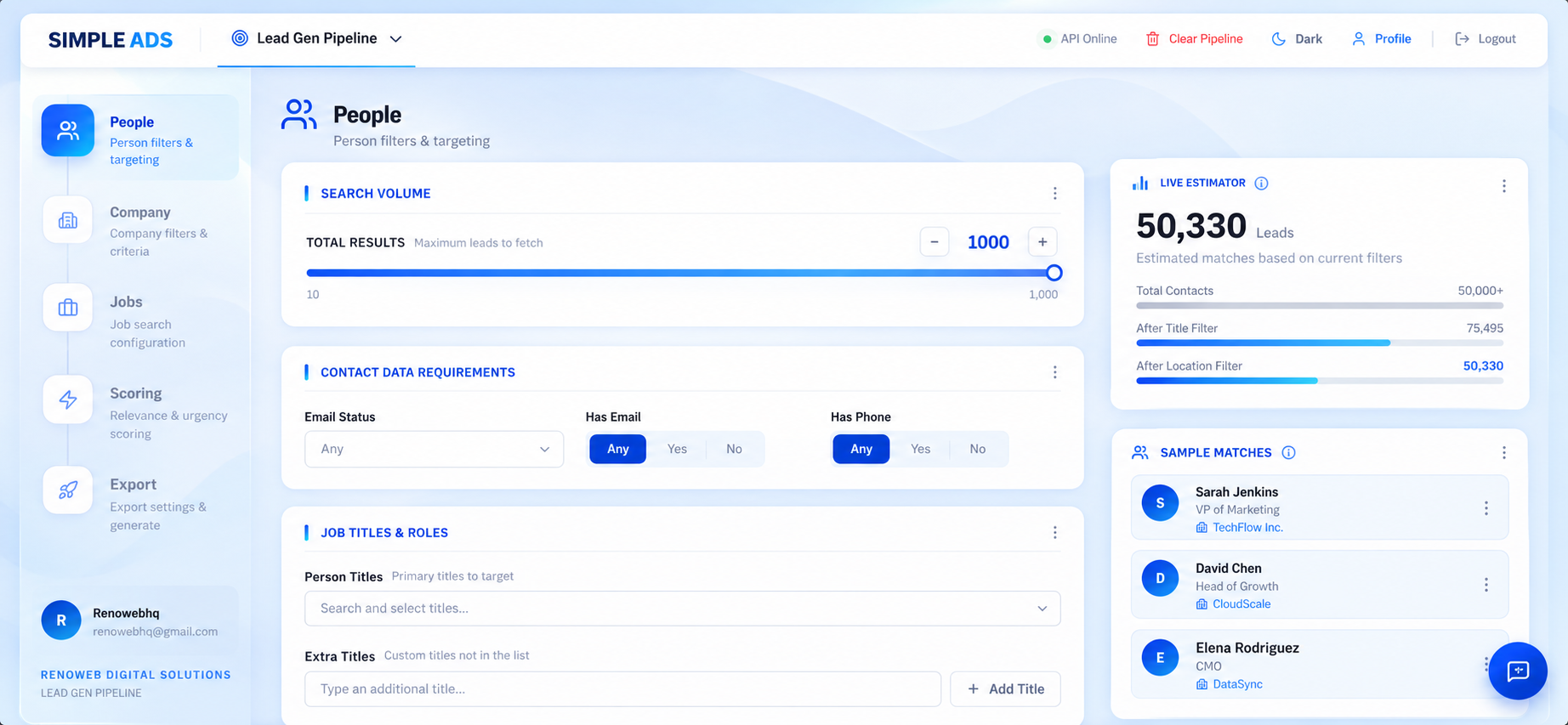
Targeting Criteria
Filters for titles, seniority, function, location and available contact data.
Result Estimation
Understand filter impact before moving into Company, Jobs or Scoring layers.
Search by the Role You Actually Want to Reach
A single job title rarely captures every person who could fit your target audience. Someone responsible for growth might appear as:
SimpLeads gives you controls to broaden or narrow your search without manually building every possible title variation.
- Person TitlesSelect the core roles you want to target.
- Extra TitlesAdd custom titles important to your specific ICP.
- Include Similar TitlesExpand search to relevant variations automatically.
- Include Title VariantsCapture alternative spellings or phrasings.
Filter by Seniority, Not Just Job Title
The same title can represent very different levels of authority. A search for Marketing Manager, for example, should not be treated the same way as a search for a VP of Marketing or CMO.
People Search lets you combine job-title targeting with seniority criteria, giving you another layer of control over who enters your prospect list.
Why it matters
If your product is designed for decision-makers, filtering by title alone may leave your team with a list that is technically relevant but commercially weak. Target the role. Then target the level of responsibility.
Seniority Levels
Target by Function and Location
Job title is only one part of your targeting criteria. Use Function / Department and Location to narrow your audience further.
Layering these filters helps you move from broad professional discovery toward a more specific ICP. Use People Search to define:
- Who → Job title
- What level → Seniority
- Which function → Department / function
- Where → Location
Find Available Contact Information Before You Export
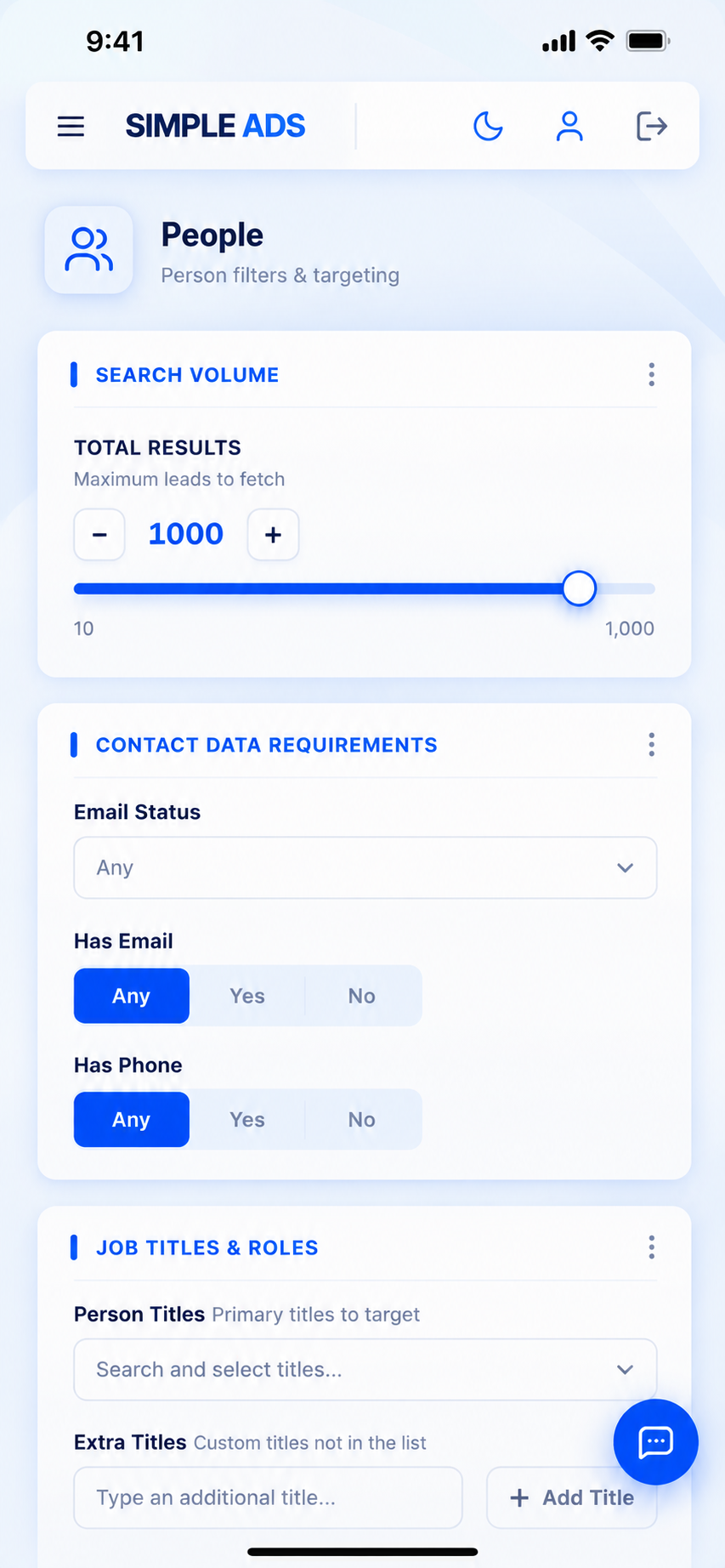
Not every prospect record contains the same contact information. SimpLeads provides contact-data controls so you can filter your results based on what is available.
- Email Status: Use the available email-status options when refining your search.
- Has Email: Filter for records where email information is available.
- Has Phone: Filter for records where phone information is available.
SimpLeads does not claim that every contact is accurate, deliverable or complete. The product is in public beta, and the exact backend verification methodology should not be overstated until technically confirmed.
See How Your Filters Change the Search
Before moving deeper into the workflow, use the available result estimation to understand how your criteria affect the size of your prospect set. People Search is not an isolated database—it is the starting point of the qualification workflow.
People Search Is the First Step, Not the Final Answer
A person can match your target role and still be the wrong prospect. They may work at the wrong type of company, lack a relevant business signal, or lack the authority you need. That is why SimpLeads continues beyond People Search.
Build a More Targeted
Contact List
Frequently Asked Questions
People Search is the first stage of the SimpLeads pipeline. It helps you find professionals based on job title, seniority, function, location and available contact information.
Yes. People Search includes Person Titles and additional title controls for defining the roles you want to find.
Yes. The workflow includes an Extra Titles option for adding custom roles beyond the standard title selections.
Yes. People Search includes Include Similar Titles and Include Title Variants options to broaden your search beyond one exact job-title phrase.
Yes. Seniority is a separate filtering layer and includes levels such as C-Suite, VP, Director, Manager, Senior, Entry, Owner, Partner and Intern.
Yes. Function / Department can be used alongside title, seniority and location criteria.
Yes. Location can be used as part of your People Search targeting criteria.
Yes. The People Search workflow includes Email Status, Has Email and Has Phone controls.
No. SimpLeads should not make a 100% accuracy or deliverability guarantee, particularly while the product is in public beta.
People Search includes contact-data status controls within the product. However, the exact backend verification methodology should not be overstated until it is formally confirmed.
Yes. People Search is the first stage of the five-step pipeline and can be followed by Company, Jobs, Scoring and Export.
It is useful for sales and GTM teams, lead-generation agencies, recruiters, staffing teams, founders and other operators building targeted prospect lists.